


According to current statistics, four out of five consumers conduct searches with local intent using Google search engine. It means that when people are looking for the particular service, they want to get in touch with the local provider. The service provider that appears in the Map Pack gets the phone call. The company that doesn’t appear in the search results most probably won’t be contacted.
Fortunately, Google Maps invisibility mostly has an identifiable cause that can be eliminated in most cases. Let’s consider the top seven reasons why Australian businesses are not displayed on Google Maps and how to eliminate the issue. These challenges affect businesses across Sydney, Brisbane, Melbourne, Perth ,Paramatta and wollongong equally
Your Google Business Profile Is Unverified or Incomplete
The Problem
You may be wondering why this is so detrimental to your visibility. The primary reason is that non-verified businesses do not show up on Google Maps, which is an effective way to advertise your business. If you created a business listing but didn’t complete the verification process, your business will be far from the public eye.
In addition to verification, completeness is important as well. Businesses that fully complete their Google Business Profile are 70% more likely to receive visits to their locations and 50% more apt to be bought. Nonetheless, a majority of Google business profiles are far from complete since they lack services, images, descriptions of the company, and other essential information.
The Fix
- Go to business.google.com and check your verification status — if unverified, request the postcard immediately (arrives in 5–14 days in Australia)
- Fill out every single field: business name, address or service area, phone number, website, hours, categories, services, and business description
- Upload at least 10 high-quality photos — exterior, interior, team, and examples of your work
- Publish Google Posts weekly — Google treats active profiles as more credible and relevant
- Add your service area if you’re a mobile business that doesn’t serve customers at a physical address
Inconsistent NAP Data Across the Web
The Problem
NAP is an acronym for Name, Address, and Phone number. Presence of inconsistent NAP across the internet is not only a common reason for inefficient local maps search but is also one of the most neglected aspects of the businesses. Even a slight difference can be consequential. For instance, “02 8003 7308” referred to in one platform and “(02) 8003-7308” on another are different according to Google.
In Australia, the major directories feeding Google with data regarding your business are Yellow Pages, True Local, Hotfrog, StartLocal, Bing Places, Apple Maps, along with domain-specific directories. If your name, address, or phone number is inconsistent with a few of the listed directories, your business may lose the trust of Google and it won’t feature your listing on the Maps. Our search engine optimisation service includes a full NAP audit and citation cleanup as standard — whether you’re based in Sydney, Parramatta, Brisbane, or Perth.
The Fix
- Establish a canonical NAP — the exact format you want everywhere — and audit every directory listing against it
- Search for your business name across Google, Yellow Pages, True Local, Hotfrog, and Bing Places and correct any discrepancy
- Ensure your NAP on your website footer matches your Google Business Profile exactly — same formatting, same phone number
- Delete or claim and correct any duplicate listings you find — duplicates actively harm your Maps ranking
Too Few Google Reviews — or No Recent Ones

The Problem
Reviews represent one of the most powerful signals for influencing the rankings on Google Maps. Businesses with more reviews and consistently higher ratings have the ability to outrank their competitors even when their reviews are outdated or incomplete. For instance, if your nearest competitor boasts 85 reviews while your business has only 12 reviews, there is a good chance that Google shows them as the better-rated result.
Also, it is important to remember that reviews are not only useful to the customers as social proof of a high quality of the services offered. Reviews are also an important ranking signal showing Google that the business is reliable and worth promoting.
The Fix
- Create a direct Google Review link from your Google Business Profile dashboard and send it to every satisfied customer
- Add a review request to your post-service email, invoice footer, and website thank-you page
- Respond to every review — even a simple “thank you, it was great working with you” counts as activity
- Set a goal: identify how many reviews your top local competitor has and build a plan to surpass them within 90 days
- Never incentivise or fake reviews — Google penalises this and it can get your profile suspended
Your Website Isn’t Supporting Your Maps Listing
The Problem
There are several business people that consider Google Business Profile distinct from their websites. That should not be the case, since Google relies on websites to confirm the credentials provided on a given Google Business Profile. It is necessary for a website to announce the service areas, provide relevant pages about service offerings, mention business names, and phone numbers whenever necessary if Google Maps results are to be achieved.
Some website challenges that decrease Google Maps rankings include lack of relevant service and location pages, absence of schema markup, issue of slow load time on mobile and improper NAP information on the website as compared to Google Business Profile. Such features are especially important for businesses operating in competitive cities such as Melbourne and Sydney. Our WordPress developer team configures schema markup, NAP alignment, and mobile optimisation as standard on every website build.
The Fix
- Ensure your business name, address, and phone number on your website exactly match your Google Business Profile — same punctuation, same format
- Add LocalBusiness schema markup to your homepage — this is code that tells Google precisely who you are, where you are, and what you do
- Create dedicated service pages rather than cramming everything onto one generic page
- Improve your mobile page speed — use Google PageSpeed Insights and aim for 90+ on mobile
- Our WordPress developer team configures schema markup, NAP alignment, and mobile optimisation as standard on every website build
Wrong or Missing Business Categories
The Problem
Your category in Google Business Profile is probably the most essential ranking element after the verification. It indicates what exactly you do and what searches your business should appear in. In case you are choosing the wrong main category or providing vague information, it will mean that Google will not show your business when your customers are searching for it.
The most common mistakes are choosing a general category (like “Marketing Agency”), although there is a better choice available (like “Web Design Company”), or not taking advantage of other categories Google provides. More categories are always better. For instance, if you have a business that deals with Google Ads management and social media marketing, you should have both categories in your profile. The same applies for specialised providers — an NDIS website design agency and a financial services website design provider should each select the most specific category available.
The Fix
- Search Google for your main service keyword and look at what categories your top-ranking local competitors are using
- Choose the most specific primary category that describes your core service — “WordPress Developer” beats “Web Design Company” for the right audience
- Add all relevant secondary categories to expand the searches you’re eligible to appear for
- Review and update your categories whenever you add a major new service to your business
No Location-Specific Content or Service Area Pages
The Problem
The Google Maps rankings depend on three main criteria: relevance, distance, and prominence. While we cannot control distance, relevance can be directly influenced by the content on the websites. If your website does not contain information about suburbs, cities or regions that your business serves, Google cannot connect you with location-specific searches.
Therefore, if someone searches for “web designer Parramatta” or “NDIS web design Wollongong,” they will not find businesses that only say that they serve clients in Australia. Content targeted to the specific location is essential in order to appear in the Map Pack rankings in highly competitive areas. This is just as true for Sydney, Brisbane, Melbourne, and Perth.
The Fix
- Create a dedicated landing page for each of your most important service locations — see our Parramatta web design and Wollongong web design pages as examples
- Mention your primary service suburbs naturally throughout your homepage and service pages
- Build a “Locations We Service” or “Service Areas” page that lists all suburbs and postcodes you cover
- Include local landmarks, references, and client examples where appropriate — this adds geographic relevance that Google rewards
- Read our local SEO strategies guide for Australian businesses for a comprehensive location-page strategy
Your Competitors Have Simply Outworked Yous
The Problem
In some cases, the best explanation is that your local SEO setup is not as good as that of your competitors. Your competitors may have better complete company profiles, more reviews, optimized web pages, multiple location pages, consistent NAP data across different directories, and other authority signals. Google runs its algorithm and shows businesses with the highest qualification — and at this moment that business is definitely not yours.
However, this does not mean that you need to give up — rather, this is a roadmap. In fact, most companies usually observe quantifiable improvements in their Google Maps rankings within 60–90 days of applying systematic efforts into their GBP and their local SEO fundamentals.
The Fix
- Search for your target keywords and study the top 3 businesses in the Map Pack — how many reviews do they have? What categories? How many photos?
- Set specific targets: if the top-ranked competitor has 94 reviews, your 90-day goal should be to close that gap
- Build your citation footprint — get listed consistently on Yellow Pages, True Local, Hotfrog, StartLocal, and industry-specific directories
- Commit to weekly Google Posts, monthly new photos, and a systematic review request process
- Combine your Maps optimisation with Google Ads management and social media marketing for immediate visibility while your organic ranking builds over the next 60–90 days
Your Google Maps Visibility Checklist
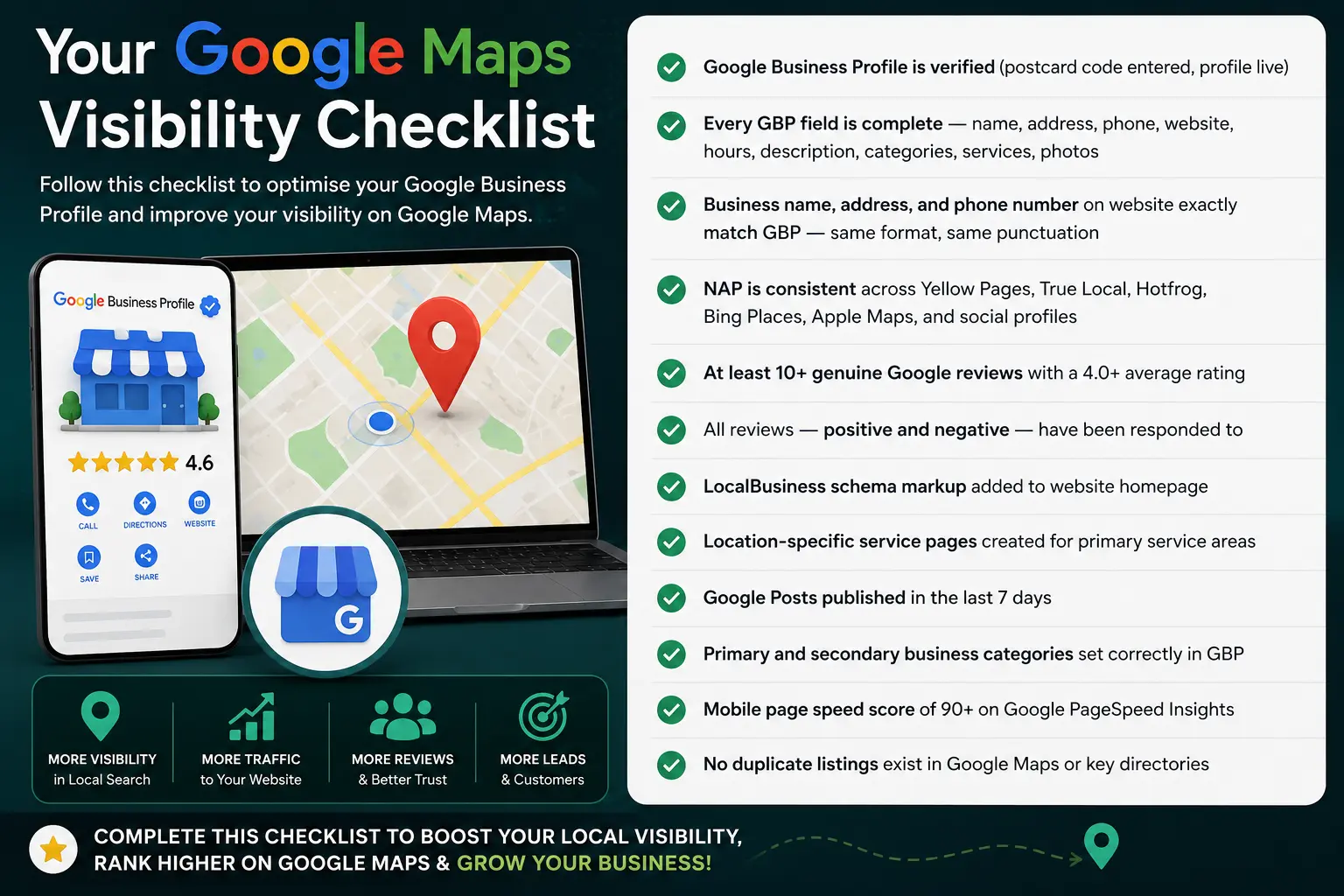
Run through this checklist to diagnose exactly why your business isn’t appearing on Google Maps — and to track your progress as you fix each issue. Whether you’re in Sydney, Parramatta, Wollongong, Brisbane, Melbourne, or Perth — these requirements are universal:
✅Google Business Profile is verified (postcard code entered, profile live)
✅Every GBP field is complete — name, address, phone, website, hours, description, categories, services, photos
✅Business name, address, and phone number on website exactly match GBP — same format, same punctuation
✅NAP is consistent across Yellow Pages, True Local, Hotfrog, Bing Places, Apple Maps, and social profiles
✅At least 10+ genuine Google reviews with a 4.0+ average rating
✅All reviews — positive and negative — have been responded to
✅Local Business schema markup added to website homepage
✅Location-specific service pages created for primary service areas
✅Google Posts published in the last 7 days
✅Primary and secondary business categories set correctly in GBP
✅Mobile page speed score of 90+ on Google PageSpeed Insights
✅No duplicate listings exist in Google Maps or key directories
Is Your Business Invisible on Google Maps?
Uniweb helps Australian businesses get found locally — with SEO, Google Business Profile optimisation, and websites built to support Maps rankings from day one.
Book a Free Local Seo Consultant→Frequently Asked Questions
