


If your website is sitting on page two of Google, on-page SEO is usually the first place to look. It is not a magic fix, but when done properly it gives Google a clear, unambiguous signal about what each page is for, who it serves, and why it deserves to rank.
At Uniweb, we have built and optimised over 1,000 websites for Australian businesses since 2011. On-page SEO is something we work through methodically on every project, from a local trade business in Parramatta to a national eCommerce store. This guide covers everything that actually moves the needle.
What Is On-Page SEO and Why Does It Matter?
On-page SEO refers to everything you can optimise directly on a web page to help search engines understand it better. This includes content, headings, title tags, meta descriptions, internal links, images, URL structure, and schema markup.
Over 65% of organic clicks go to the first five results on a search page, and the next five account for just over 4%. If you want traffic, you need to rank near the top, and on-page SEO is one of the most reliable ways to get there.
Essential On-Page SEO Factors
1. Keyword Research First, Content Second
Every page should target a clear primary keyword and a handful of supporting terms. A common mistake is writing content first, then trying to fit keywords in later. The better approach is to research what your target audience is actually searching for, then build the page around that intent.
For a Sydney bakery client, we identified that people were searching for “custom birthday cakes Parramatta” and “wedding cake bakery western Sydney” rather than generic terms like “cakes Sydney.” Targeting those specific phrases produced a 40% increase in organic traffic within three months.
Practical steps:
- Use Google Search Console to see what queries your existing pages are already showing up for. You may be ranking on page two for something that just needs a little on-page work to push to page one.
- Use Google’s “People Also Ask” box to find related questions. Answering these in your content helps you capture featured snippets.
- Avoid keyword stuffing. One primary keyword, used naturally in your headings and body copy, is enough. Google understands context now, so related terms matter just as much as exact matches.
Build a carefully coded and SEO-ready online store with our eCommerce development team in Sydney.
2. Title Tags: Your First Impression in Search Results
Title tags are the clickable headlines that appear in Google search results. They tell users and search engines what your page is about, and a well-written title tag is one of the strongest on-page ranking signals you have.
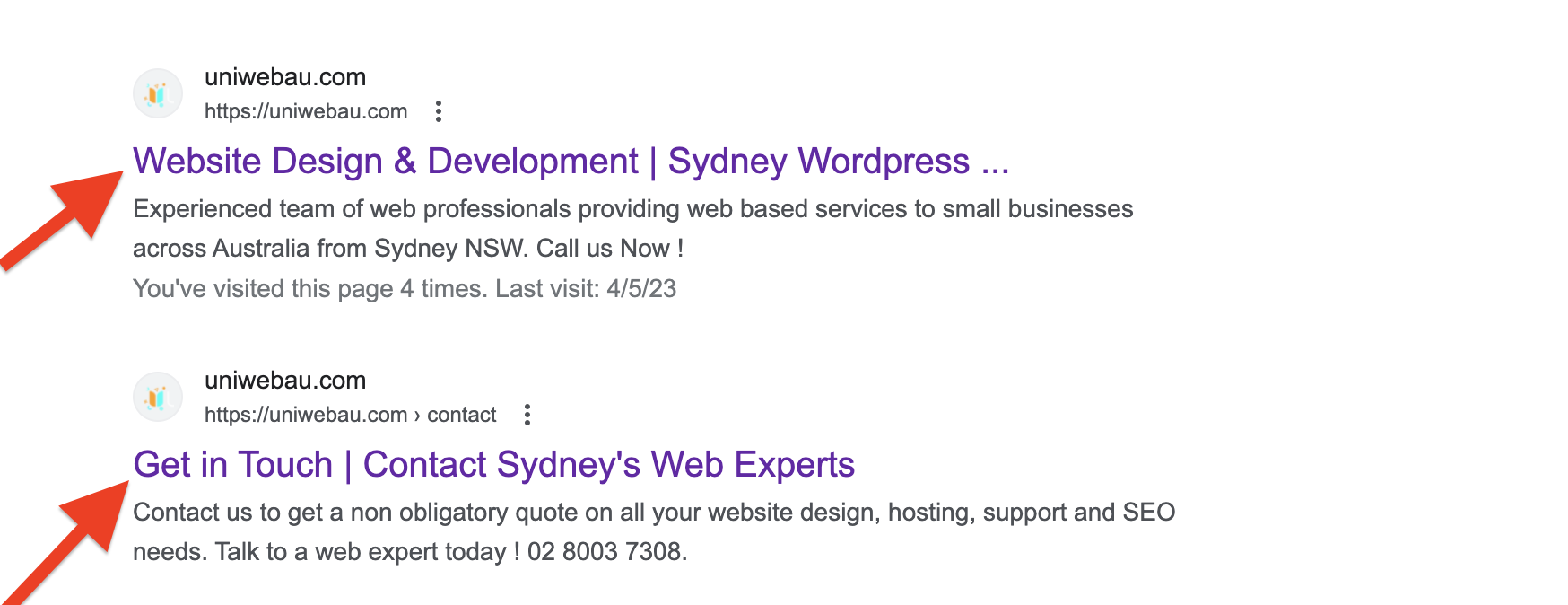
How to write effective title tags:
- Lead with your primary keyword, not your brand name
- Keep the character count between 50 and 60 characters
- Be specific and relevant to the actual content of the page
- Do not repeat or stuff key phrases
- Make every title tag on your site unique
Example: Instead of “SEO Services | Uniweb,” a stronger title tag is “SEO Services Sydney | Boost Rankings & Traffic.”
3. Meta Descriptions: Write for Clicks, Not Just Keywords
Meta descriptions do not directly affect rankings, but they do affect click-through rate, which in turn signals to Google that your result is relevant. A well-written meta description acts like a short advertisement for your page.
Keep it under 160 characters, include your primary keyword naturally, and give readers a reason to click: a specific outcome, a differentiator, or a clear call to action.
For our own SEO services page, we use: “SEO services from a Sydney agency with 15+ years experience. Real rankings, transparent reporting, no lock-in contracts.” Short, specific, credible.
4. Heading Structure (H1, H2, H3)
Your heading structure tells Google how your content is organised and which topics are most important.
- Every page should have exactly one H1 tag. This is your main headline and should include your primary keyword.
- H2 tags are your main section headings. Use them to break the page into logical topics.
- H3 tags are sub-points within each section.
Do not skip heading levels or use heading tags just to make text look bigger. Google reads heading structure as a content hierarchy, and a chaotic structure makes it harder for the crawler to understand your page.
5. Content Quality and Search Intent
This is where most pages fall short. Google’s Helpful Content system actively deprioritises content that is generic, thin, or exists primarily to rank rather than to genuinely help a reader.
What Google is looking for:
- Original insight. Generic overviews that repeat what every other article says are less likely to rank. Share real experience, real results, or a unique angle.
- Depth that matches intent. A how-to article needs clear steps. A comparison article needs concrete comparisons. Match the format to what the searcher actually wants.
- Accuracy and freshness. Outdated facts and old statistics work against you. Update content regularly.
- Readability. Short paragraphs, clear subheadings, and plain language help both readers and crawlers.
Aim for a word count that covers the topic properly, not a specific number. For competitive topics, 1,200 to 2,000 words is often appropriate. For simple informational queries, 500 to 800 words may be enough. Match what the top-ranking pages are doing, then do it better.
6. URL Structure
A clean, descriptive URL helps both users and search engines understand what a page is about before they even open it.
- Use your primary keyword in the URL slug
- Separate words with hyphens, not underscores
- Keep it short and remove unnecessary words like “and,” “the,” and “a”
- Avoid dates in URLs for evergreen content.
/on-page-seo-checklist/is better than/on-page-seo-checklist-2023/because you will not need to change it later
If you ever change a URL, always set up a 301 redirect from the old address to the new one. Failing to do this is one of the most common technical mistakes we clean up during site migrations.
7. Image Optimisation
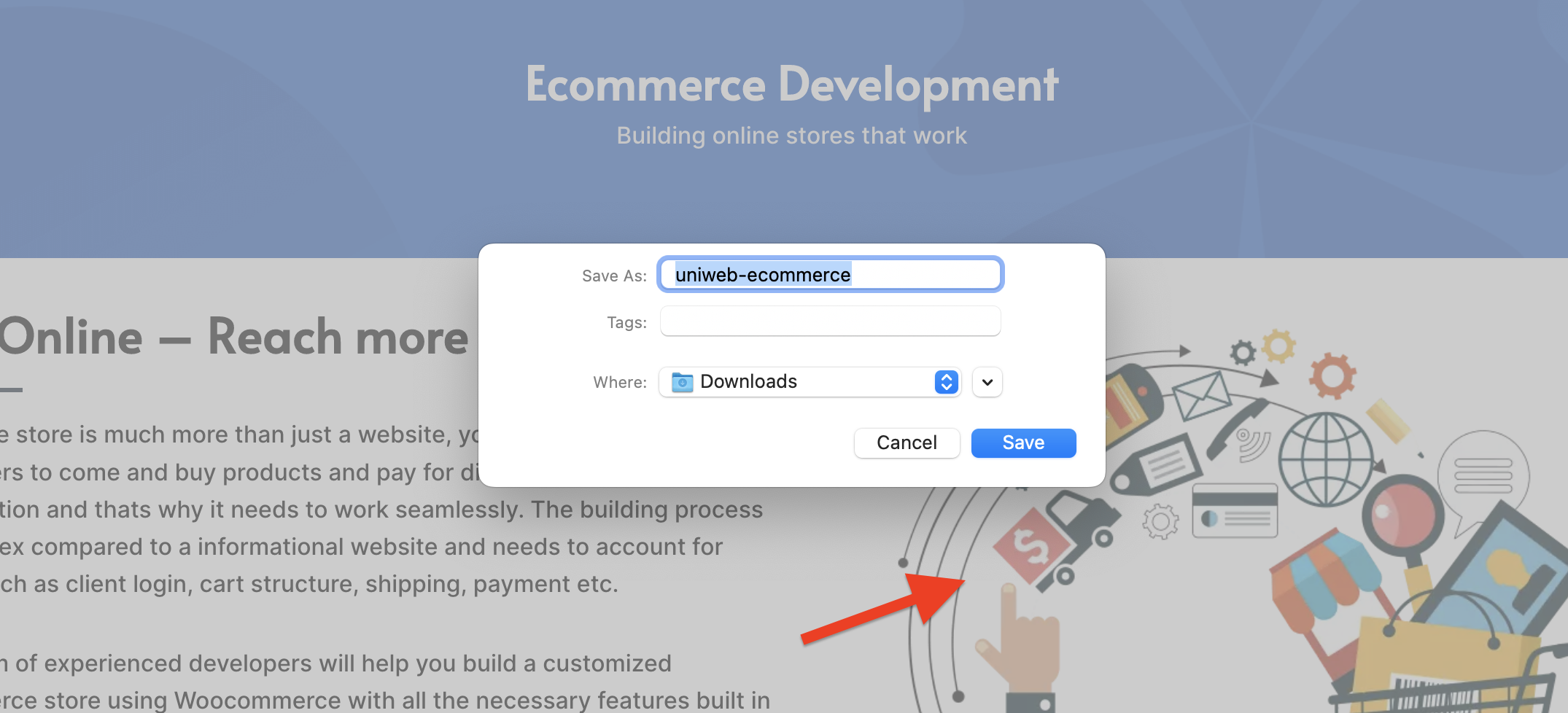
Images slow pages down and confuse search engine crawlers when they are not optimised properly. Every image on your site should have:
- A descriptive file name using hyphens (e.g.,
sydney-web-design-team.webp, notIMG_4923.jpg) - An alt tag that accurately describes what the image shows. This helps accessibility tools and gives Google context about your visual content.
- Compression. Large image files are one of the most common causes of poor Core Web Vitals scores. We use WebP format as standard on all client sites. Tools like ShortPixel or Imagify handle this automatically in WordPress.
8. Internal Linking
Internal links are one of the most underused on-page SEO tools. They help users navigate your site and pass ranking authority from stronger pages to pages that need a boost.
When you publish a new page, link to it from two or three relevant existing pages. Use descriptive anchor text that includes keywords, not generic phrases like “click here.”
On a client WooCommerce store, we identified that the main category pages had almost no internal links pointing to them from blog content. After adding contextually relevant internal links from existing posts, the category pages moved from page three to page one for their target terms within six weeks.
9. Schema Markup
Schema markup is structured data added to your page’s code that helps Google understand what type of content it is reading. It can also produce rich results in search such as star ratings, FAQ dropdowns, and event listings, which increase the visibility and click-through rate of your listing.
Common schema types for Australian small businesses:
- LocalBusiness: your business name, address, phone number, and opening hours
- FAQPage: for pages with a question-and-answer section
- Service: for individual service pages
- Article: for blog posts and news content
We implement schema as JSON-LD on all Uniweb-built sites. Yoast SEO Premium and RankMath both handle basic schema automatically, but more specific types often need to be added manually.
10. Core Web Vitals and Page Experience
On-page SEO no longer stops at content. Google’s Page Experience signals include:
- LCP (Largest Contentful Paint): how fast the main content loads. Aim for under 2.5 seconds.
- CLS (Cumulative Layout Shift): how stable the page is while loading. Reserve space for images and ads to avoid content jumping around.
- INP (Interaction to Next Paint): how quickly the page responds to user input.
Check your scores in Google Search Console under “Core Web Vitals.” Pages with poor scores are at a disadvantage in competitive search results, regardless of how good the content is.
On-Page SEO Checklist: Quick Reference
Use this before publishing any new page:
- Primary keyword identified and confirmed with search data
- Title tag under 60 characters, keyword near the start
- Meta description under 160 characters, includes a reason to click
- One H1 tag containing the primary keyword
- H2 and H3 headings used logically throughout the page
- URL slug is short, descriptive, and keyword-rich
- Content addresses genuine search intent with original insight
- All images have descriptive file names and alt tags
- At least two to three internal links pointing to this page from other relevant pages
- Schema markup added where applicable
- Core Web Vitals checked after publishing
Final Thoughts
On-page SEO is not a one-time task. Rankings shift, competitors update their content, and Google’s understanding of quality continues to evolve. The sites that maintain strong positions are those that treat on-page optimisation as an ongoing process rather than a launch checklist.
If you want help auditing your existing pages or building a content strategy around your target keywords, contact the Uniweb team. We work with Australian businesses of all sizes and can show you exactly where your pages stand and what it will take to move them.
For all SEO related queries, please contact our sales team at 02 8003 7308 or email us here.
